
Create your agency, invite hosts, and earn commissions from 4% to 20% while managing your network from the agent dashboard in the app or on the web.
Register with Poppo ID · Dashboard from app and web · Commissions from hosts and invited agents
On this page
Why become a Poppo Live agent?
- Commissions from 4% to 20%
- Your percentage can increase based on the earnings generated by your team over the last 30 days.
- Host management
- Invite, organize, and follow up with your hosts from the agent dashboard.
- Agent dashboard in app and web
- Access it from the “Agent” menu in the app or from the web dashboard using your Poppo ID and verification code.
- Invite other agents
- You can grow your network by inviting agents and earning from the performance of those invited agents.
- Activity tracking
- Review performance, income, active hosts, and your agency’s progress.
- 100% online work
- You do not need to set up a physical office: the operation is managed from the app/dashboard.
What you need to register as an agent
Before starting your registration, you need:
- A Poppo Live account.
- Your Poppo ID at hand.
- Access to the app while logged in.
- The ability to receive the verification code.
- To use real information and follow the platform rules.
How to register as a Poppo Live agent
- Create your Poppo Live account
- Download the app, log in, and copy your Poppo ID.
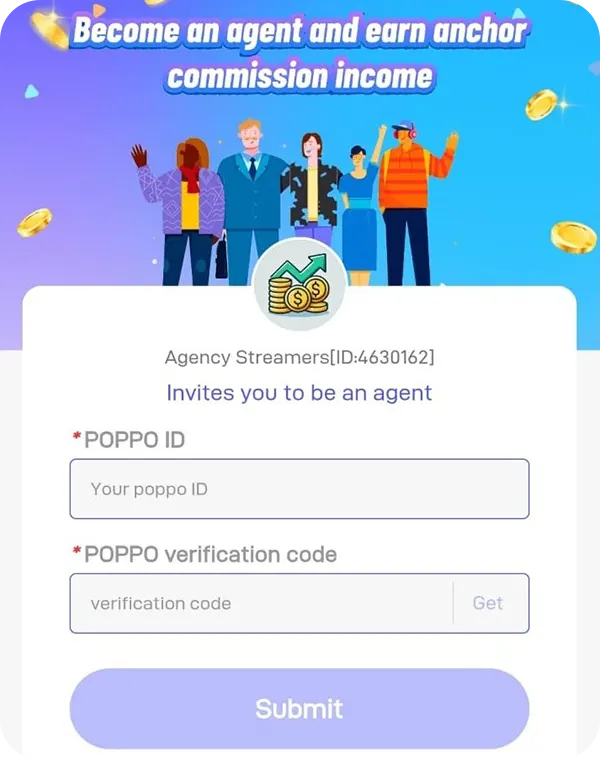
- Open the agent form
- Enter your Poppo ID and request the verification code.
- Submit your application
- Enter the code, press Submit, and access the dashboard once your account is active.
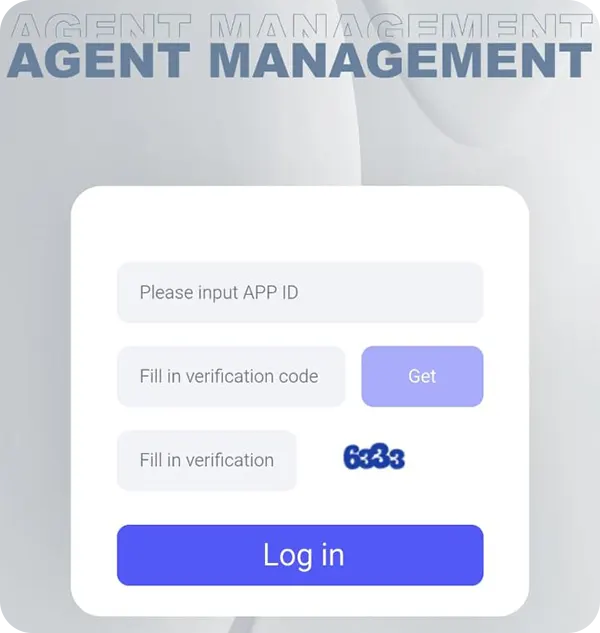
Poppo Agent Dashboard: manage from app and web
Poppo allows access to the dashboard from the app, in the “Agent” menu, and also from the available web dashboard. Both access points let you review and manage your agent operation.
What you can do from the dashboard:
- View linked hosts.
- Review activity and performance.
- Check your commission percentage.
- Invite new hosts.
- Invite agents and earn commission from their network.
- Review earnings and available balance.
- Access withdrawal features depending on your region and available method.
Need help signing in? Follow the Poppo agent login guide for the APP ID and verification code steps.
Related guides to grow your Poppo agency
How to add hosts in Poppo
Learn how to invite and manage hosts from the agent dashboard.
How to invite agents in Poppo
Discover how to invite agents, grow your network, and earn from their performance.
Poppo agent commissions: from 4% to 20%
Your commission depends on the accumulated performance of your network over the last 30 days, including hosts and invited agents.
| Level | 30-day earnings | Commission |
|---|---|---|
| D | 0 | 4% |
| C | 2,000,000 | 8% |
| B | 10,000,000 | 12% |
| A | 50,000,000 | 16% |
| S | 150,000,000 | 20% |
The more your network grows and the more activity your team generates, the higher your commission level can be. Want to know how commissions are paid? View the guide to withdraw earnings in Poppo.
Basic rules to keep your agency active
To operate as an agent and keep your agency in good standing, keep these points in mind:
- Avoid invitation spam.
- Do not promote external platforms.
- Maintain real activity within your team.
- Follow the rules for hosts and live streams.
- Always review the current terms inside the app/dashboard.
Start your Poppo Live agency today
Register with your Poppo ID, access the agent dashboard, and start managing hosts, invited agents, and commissions from one place.
Frequently asked questions
-
Where do I register as a Poppo agent?
From the agent invitation form using your Poppo ID.
-
Where can I find my Poppo ID?
In your profile inside the Poppo Live app.
-
How much does an agent earn?
The commission can range from 4% to 20%, depending on the network’s level and performance.
-
Can I invite hosts?
Yes. The agent manages hosts and tracks their activity.
-
Can I invite other agents?
Yes. You can invite agents and earn from the performance of those invited agents according to the system rules.
-
Where do I check my commissions?
From the agent dashboard in the app or from the web dashboard.