
Already approved as a Poppo Live agent? Use the current web dashboard to review your agency, hosts, invited agents, earnings and commissions. This guide shows the correct Poppo agent login URL, the information required to sign in and the main tools available after access.
On this page
Official Login URL
The current web address for approved agents is https://agent.vshowapi.com/. The regular Poppo website is designed mainly for viewers and streamers, so it does not provide the same agency-management functions. Access verified September 1, 2026.
The former agent login domain is no longer the correct access point. Bookmark the current address and check the domain before entering your APP ID or verification code.
How to Log In
- Open agent.vshowapi.com.
- Enter the APP ID connected to your approved agent account.
- Request a verification code using the option displayed on the login screen.
- Enter the current code and continue to the dashboard.
Never share your verification code. If a code expires, request a new one directly from the login screen.
Where can I find my APP ID?
Open the Poppo Live app and check your profile or account information. Use the ID linked to the account that has agent access. A viewer or host account that has not been approved as an agent may not open the agency dashboard.
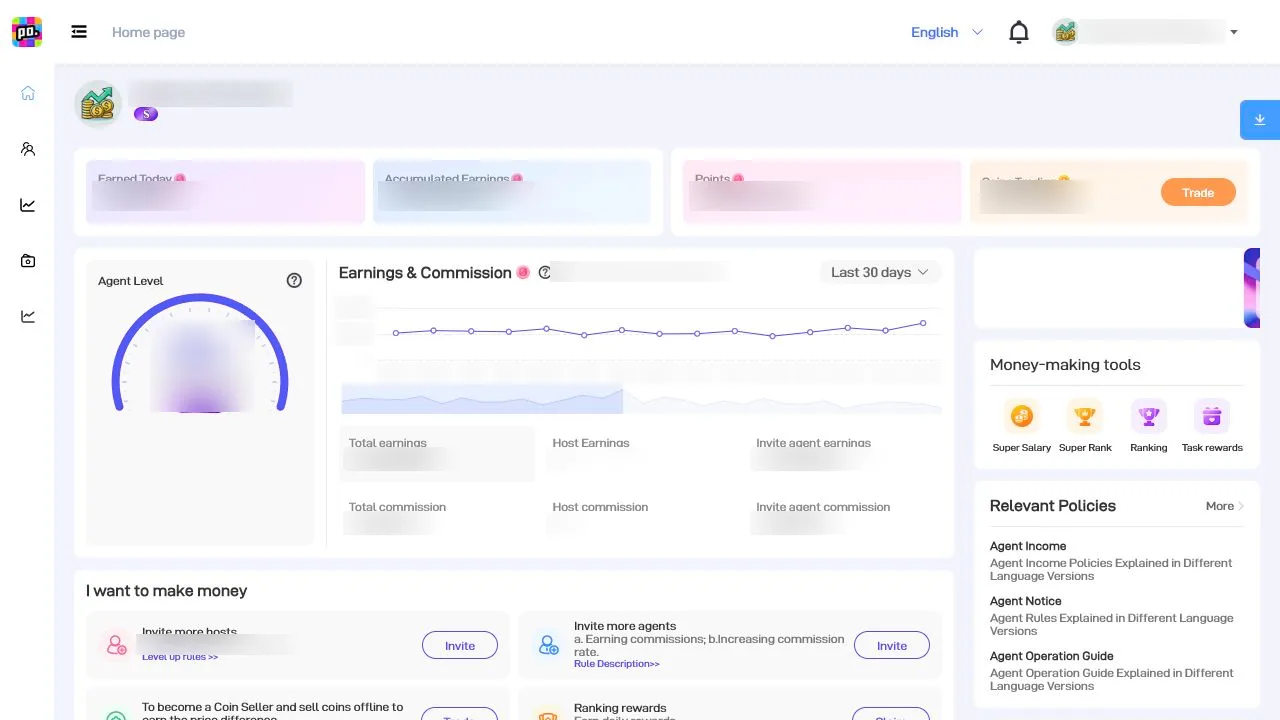
Dashboard Tools
The web panel brings the most important agency-management tools into one place. Available sections can vary by account, permissions or region, but the current dashboard includes host and agent lists, earnings reports, growth tools, statistics, transaction details and official resources.
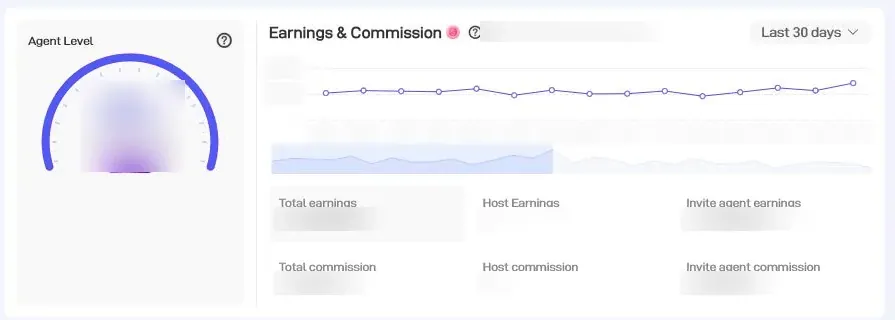
Review earnings and commission information
The Earnings & Commission area helps agents review performance information, commission rates and results connected to invited agents. Use the date filters shown in the dashboard when comparing periods.
Invite hosts and recruit agents
The growth tools provide separate options for inviting hosts and agents. Use the correct invitation process for each role and explain the opportunity before sending an agency invitation. For the detailed recruitment workflow, see how to invite agents on Poppo Live.

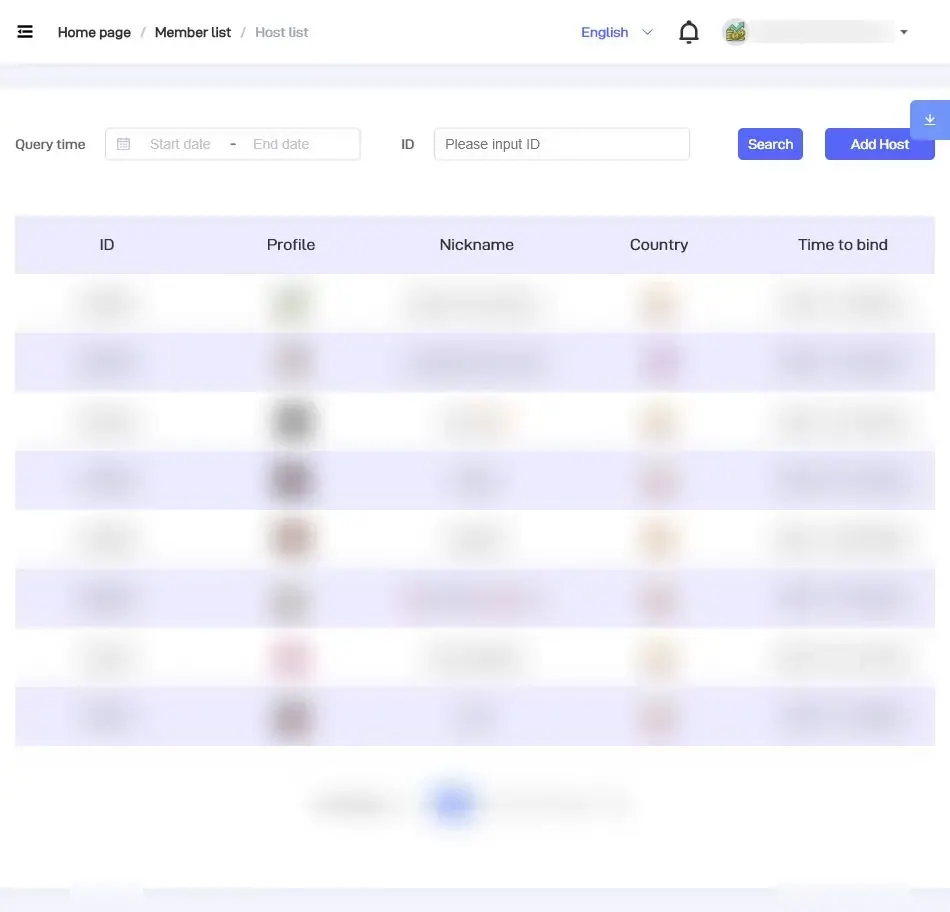
Manage your agency hosts
The Host List lets an approved agent locate streamers connected to the agency and filter records by date or ID. This makes it easier to review the correct host before checking performance or providing support.
Other tools available to agents
- Agent List: review agents connected to your network.
- Statistics: open overview, host-analysis and income-analysis sections.
- Transactions: review coin transfers and transaction details where enabled.
- Resources: access agent notices, operation guides and relevant policies.
Login Problems
- Confirm that you are using agent.vshowapi.com, not an old bookmark.
- Check that the APP ID belongs to the approved agent account.
- Request a fresh verification code and enter it before it expires.
- Try the Agent or My Agency section inside the Poppo Live app.
- If your agency is still missing, contact the support channel available in your app or your Poppo representative.
Web vs. App
The web dashboard and the app are complementary. The web version is useful for reviewing lists, reports and agency tools on a larger screen. The app remains important for account access, notifications and functions available under Agent or My Agency.
FAQ
What is the official Poppo agent login URL?
The current dashboard for approved agents is https://agent.vshowapi.com/.
Who can access the agent dashboard?
Approved Poppo Live agents can access it using the APP ID connected to their agent account.
What do I need to log in?
You need the APP ID linked to your agent account and a current verification code.
Can I manage hosts and agents from the dashboard?
Yes. The current dashboard includes the Host List, Agent List, invitation tools and performance information.
Not an Agent Yet?
The dashboard login is for existing agents. If you are still evaluating the opportunity, start with our Poppo Live agent application guide and review the agent training information before applying.